Push buttons (start, stop)
What is a control push button?
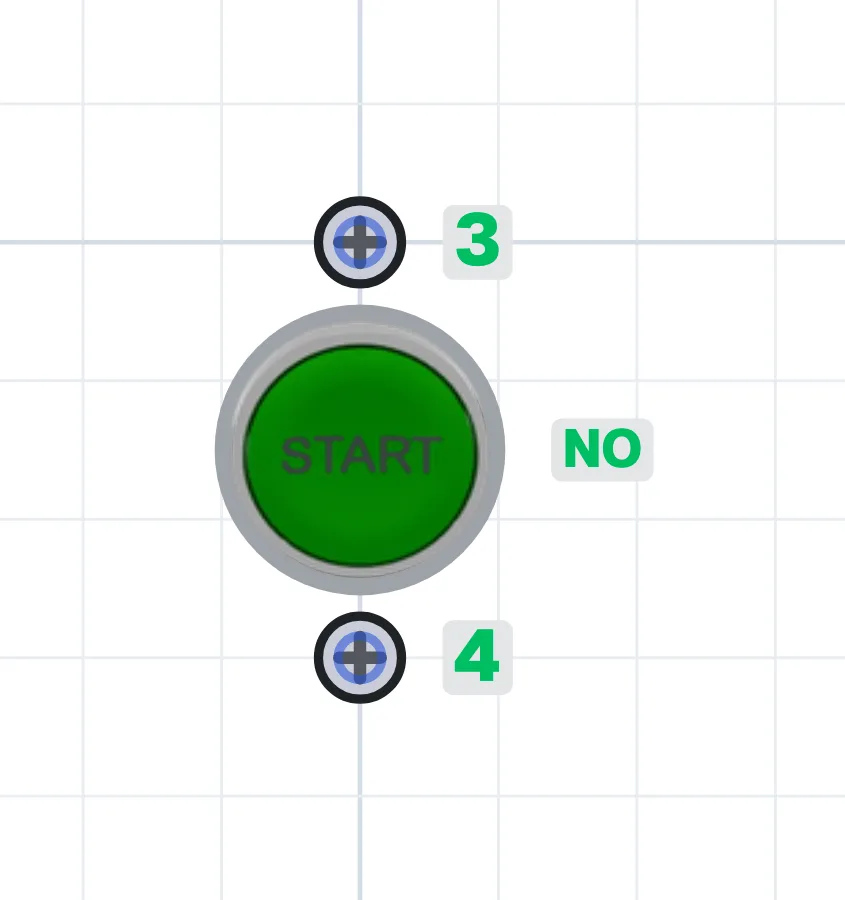
A control push button is a manual control device that changes the state of the contact behind it when pressed. A start button has a normally open (NO) contact that closes when pressed; a stop button has a normally closed (NC) contact that opens when pressed. Spring-return buttons go back to their original state when released.
Where are push buttons used?
They are used in motor panels for start-stop control, to start and stop machines, for jog (inching), reset and acknowledge functions. They are mounted on panel doors, on machines or in remote push button stations.
Types of push button
Spring-return (momentary) buttons return when released; latching (maintained) buttons lock when pressed and release on the next press. Several contact blocks can be fitted behind one head to make a button with both NO and NC contacts. Illuminated buttons work as both control and indicator. Colours follow the standards: start is usually green, stop red or black.
What to watch out for
The stop button is wired with an NC contact, so if its cable breaks the motor stops and the fault stays on the safe side. The protection rating (IP) of the buttons is chosen for the environment. For emergency stopping, a latching emergency stop button is used, not a normal stop button.
Terminals
Start button
- Normally open contact
- 3-4
Stop button
- Normally closed contact
- 1-2
Double-contact button
- Normally closed
- 11-12
- Normally open
- 13-14
Latching push button
- Normally open contact
- 13-14 (closed while locked)
- Normally closed contact
- 21-22 (open while locked)
Try it in the simulator.
This component is in CoilPath with its real look. Add it to a circuit, wire it and see how it behaves in the simulation.
Circuits that use this component
- Direct-On-Line Starting Circuit for an Induction Motor
- Induction Motor Jog (Inching) Circuit
- Seal-in Circuit (Continuous Running of an Induction Motor)
- Seal-in Circuit (Continuous Running of an Induction Motor with a Relay)
- Jog Button with Momentary Running and Seal-in Cancel Circuit
- Seal-in Circuit with Start–Stop Control from Three Locations
- Forward–Reverse Direct-On-Line Starting Circuit
- Sequential Induction Motor Starting with Timer Relays
- Delayed Stop Circuit with a Timer Relay
- Sequential Induction Motor Starting and Delayed Stop with Timer Relays
- Direct-On-Line Starting Circuit with Protection and Indicator Lamps
- Automatic Motor Stopping at Set Positions with Sensors